Sending a login isn't the same as getting a client to use it. Fifteen minutes of showing them saves a month of re-typing emailed orders.
Summary
A client is up and running when they can do four things without calling you: place an order, see whether it's filled, approve timesheets, and get a staff list. Get there with two short live sessions: walk the person who orders through one real order, and the person who approves through one real timesheet. Finish the client record first, so their first week goes smoothly. What goes wrong: only one person at the client has a login, so the orders come back by email the week they're on vacation.
How to do it
- Find out who books staff, who approves hours and who pays the invoice. Ask who covers for each of them.
- Finish the client record: contacts, rates, sites, and preferred and Not Allowed Crew.
- Create their logins. See Give Clients Access to the Client Portal.
- Walk the person who orders through one real order, live, with screens shared.
- In the week after their first job, walk the approver through one real timesheet.
- Agree out loud what they'll now do themselves, and what still comes to you.
Two sessions to a client who runs on their own
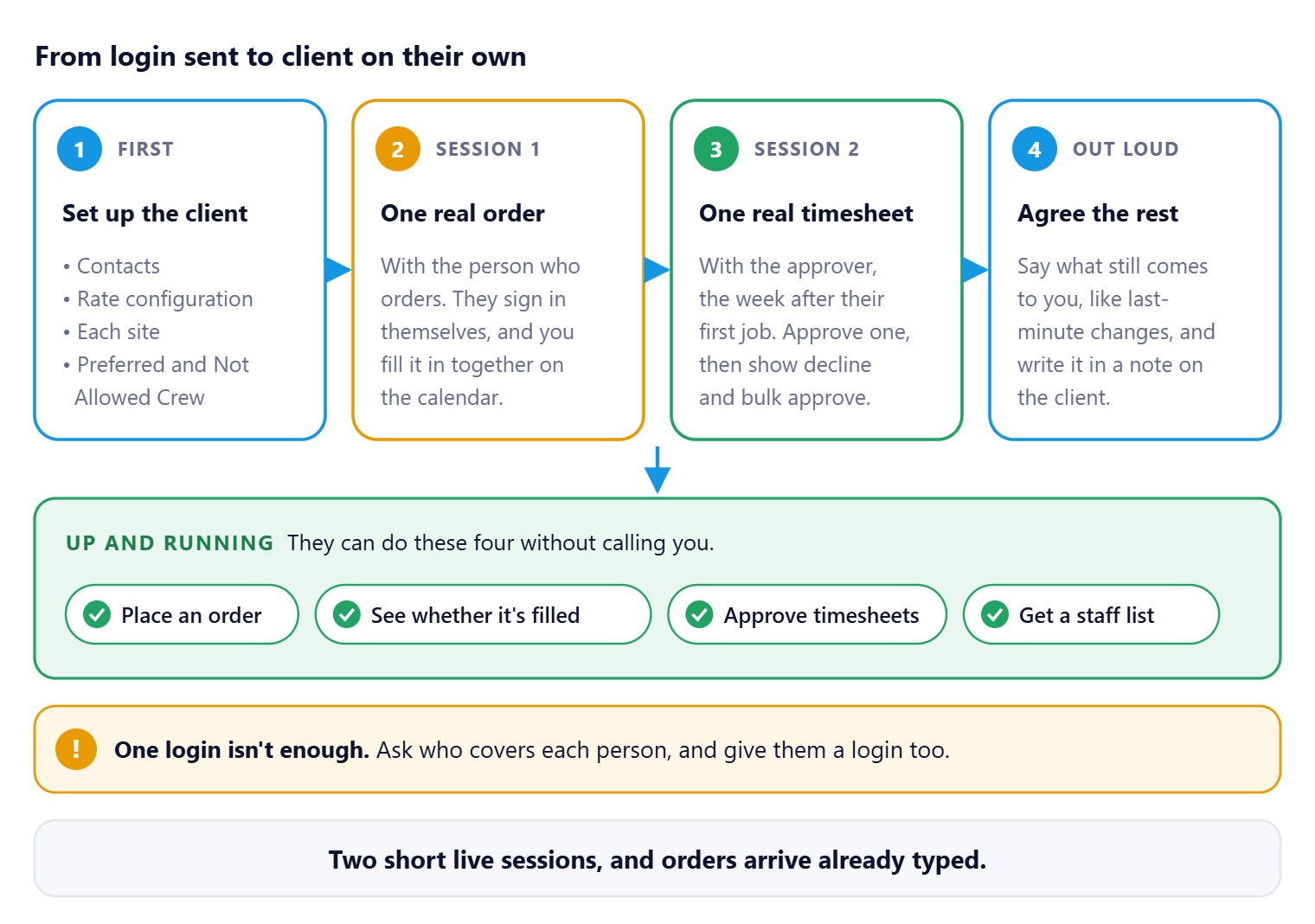
Use real work in both sessions. A real order and a real timesheet teach more than a test, and there's nothing to clean up afterward. Once they can do the four things in green, they're on their own.
That's the client set up to work on their own. Read on for what to show in each session.
On this page
What “up and running” means
| They can | Where | Client guide to send |
|---|---|---|
| Place an order | Calendar, click the date | Place an Order for Staff |
| See whether it's filled | The calendar colors: orange open, blue partly filled, green filled | Check Whether Your Jobs Are Filled |
| Approve timesheets | Timesheet screen | Approve or Decline Timesheets |
| Get a staff list | Quick Access (lightning icon) › Staff List | See Who Is Coming and Who Is On Site |
Dashboards, ratings and tasks are a bonus. A client who can do these four is self-sufficient.
Set up before you invite them
| Check | Why |
|---|---|
| Contacts are on the client | You can't create a login for someone who isn't a contact. See Add and Manage Client Contacts. |
| A rate configuration is attached | Their orders pick it up. A wrong one means wrong rates on every order they place. See Set Up Rate Configurations for a Client. |
| Each site is set up | So orders for different sites don't pile up under one name. See Set Up Parent and Child Clients. |
| Preferred and Not Allowed Crew are recorded | So the first job isn't filled by someone they asked you never to send. See Track Preferred and Not Allowed Crew. |
Session 1: one real order
- Use an order they actually need. A test order teaches nothing, and someone has to cancel it.
- Have them sign in themselves, so a password problem shows up now, not at 5 a.m. on a Friday.
- Go to the calendar, click the date, and fill in the order together. Point out the job title, position, number of people and times.
- Show the new order in orange, and tell them when it will change color.
Session 2: one real timesheet
- Open the Timesheet screen together and approve one timesheet.
- Show how declining asks for a reason, and tell them what you want written there.
- Show bulk approve, for jobs they've already checked.
- Tell them their approval shows as Client Approved, and your team gives the final approval.
Agree what still comes to you
It doesn't have to be all or nothing. Last-minute changes may still come by phone. Say which, out loud, and write it in a note on the client. A client told they must do everything in the system often does nothing in it.
Why orient clients this way
| Login sent, no orientation | Two short sessions |
|---|---|
| Orders still arrive by email. | Orders arrive already typed. |
| "Did you find anyone?" calls. | They read the calendar colors. |
| Late approvals, late invoices. | Approvals on Monday morning. |
If something isn't working
| What you see | Check this first | Who fixes it |
|---|---|---|
| They still email their orders | Did the person who orders have a live session? Book one with a real order. | You |
| Only one person ever signs in | Ask who covers, and give that person a login too. | You |
| They placed an order wrong | Fix it with them on a call, then send the client guide for that step. | You |
| They can't find a job | Which client or site they're signed in under, and the calendar dates. | You |
Questions people ask
Should clients use the web or the mobile app?
The web app. The client mobile app is limited.
Can I just send them the guides?
Send them, but do the two live sessions too. That's what makes it stick.
What do I send a new client user?
Welcome to NextCrew: Your Quick Start as a Client.
Other ways people ask this
- How do I train a client on NextCrew?
- How do I get clients to place orders online?
- Client onboarding checklist
- How do I get clients to approve timesheets?
- What should I show a new client?
Related guides
- Give Clients Access to the Client Portal — creating the logins
- Welcome to NextCrew: Your Quick Start as a Client — send to every new client user
- Keep Existing Clients Close — after the first month
- Train and Support Your Crew in the NextCrew App — the same idea for your Crew
Was this article helpful?
That’s Great!
Thank you for your feedback
Sorry! We couldn't be helpful
Thank you for your feedback
Feedback sent
We appreciate your effort and will try to fix the article