A Crew Member says their check is short. Fix it fast, fix it once, and leave a record of why.
Summary
Correct the timesheet in NextCrew so your records match what the Crew Member actually worked. Your team can change a Paid timesheet's status, so set it to Under Review while you fix it. Then pay the difference in your payroll system, as an off-cycle payment or an adjustment on the next run, and set the timesheet back to Paid. Add a note saying what changed and why. What goes wrong: fixing it only in the payroll system, so NextCrew and payroll no longer match.
How to do it
- In Operation › Timesheet, find the timesheet and open it.
- Change its Approval Status to Under Review while you check it.
- Correct the hours, break, pay code or rate, and click Update.
- Pay the difference in your payroll system.
- Set the timesheet back to Paid. Under Notes, click ADD and say what changed and why.
Fix it in four steps
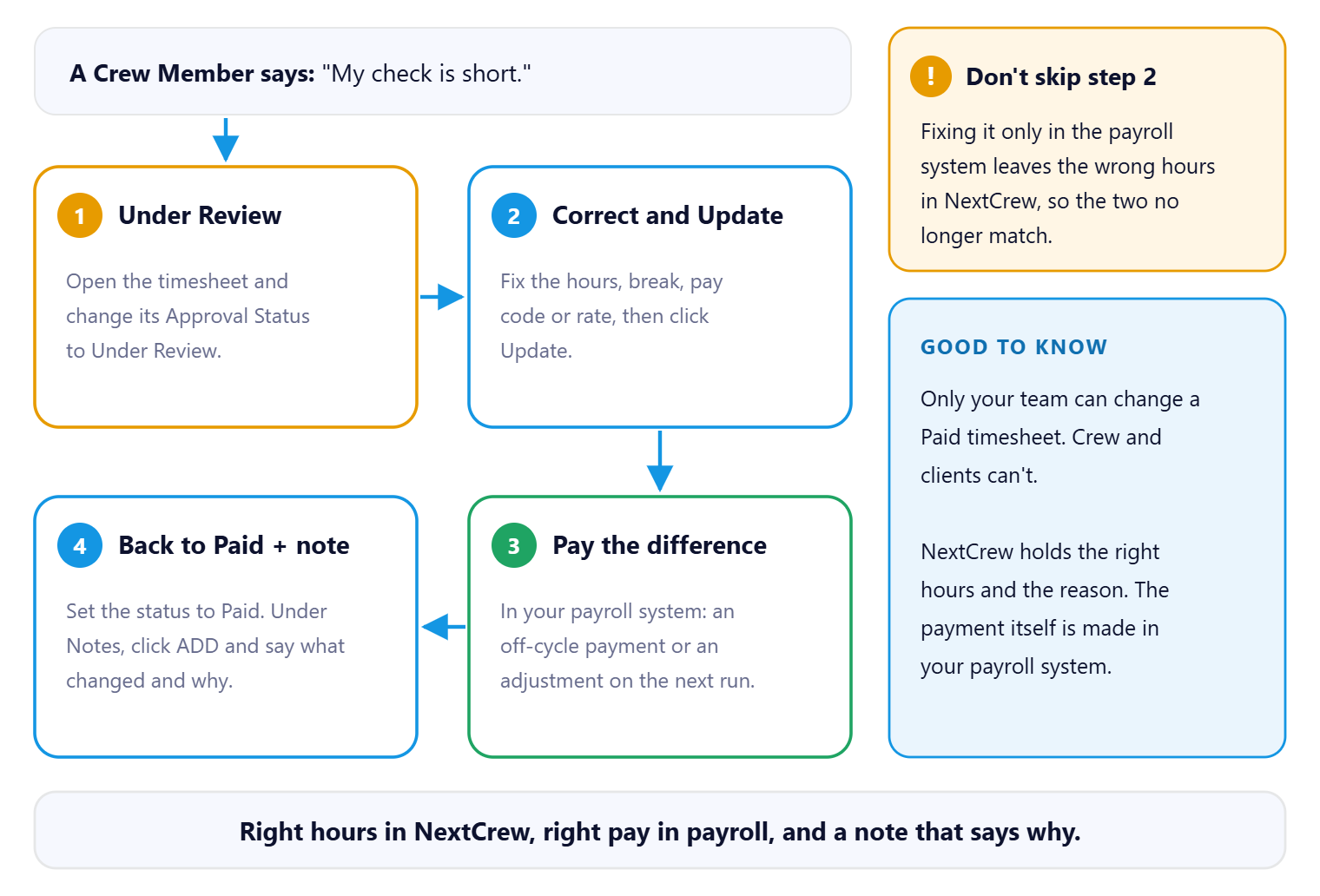
Fix the hours in NextCrew first, then pay the difference in your payroll system, then set the timesheet back to Paid with a note. Both records match, and anyone who opens the timesheet later can see what changed and why.
That's the Crew Member paid right and the record straight. Read on for the common cases.
On this page
Common cases
| What happened | What to do |
|---|---|
| Hours were wrong | Correct the timesheet, then pay or recover the difference in your payroll system. |
| A timesheet was missed | Add it (Add, Clone or Fix a Timesheet), approve it, and include it in the next run or pay it off-cycle. |
| Wrong pay rate | Fix the rate on the timesheet. If it was wrong at the source, fix the Crew Member's pay too (Pay Setup: Employee, Contractor and Payroll Details). |
| Overtime was wrong | Check the timesheet's overtime and Override (Overtime, Pay Codes and Overrides). |
| A bonus or reimbursement was left out | Clone the timesheet, add it with the right pay code, and approve it. |
Off-cycle and back pay
Off-cycle payments, back pay and tax corrections are made in your payroll system. NextCrew's job is to hold the correct hours and the reason they changed.
If you're adding a missed timesheet to the next run, approve it and it's picked up with that period's export, as long as its date is inside the dates you export.
Does the client need a corrected invoice?
If the hours were wrong on the invoice too, correct the invoice. See Delete or Correct an Invoice.
What your Crew see
Crew see their hours in the app and contact your agency about pay. My Hours or Pay Are Wrong: Who to Contact tells them to reach you, not NextCrew.
Questions people ask
Can I change a timesheet after payroll?
Yes. Your team can change a Paid timesheet's status and details. Crew and clients can't.
Will NextCrew send the correction to payroll?
No. Make the payment in your payroll system.
How do I keep a record?
Open the timesheet and, under Notes, click ADD. Say what changed and why.
Other ways people ask this
- A Crew Member was underpaid
- How do I fix a payroll mistake?
- How do I pay a missed timesheet?
- Off-cycle payment
- Back pay for a Crew Member
- I paid the wrong rate
Related guides
- Export Payroll to Your Payroll Company — the export
- Run Payroll: Start Here — the whole flow
Was this article helpful?
That’s Great!
Thank you for your feedback
Sorry! We couldn't be helpful
Thank you for your feedback
Feedback sent
We appreciate your effort and will try to fix the article