Crew Member Management
Category Display Order for Violations
Violation categories are now shown in the specified order when creating a violation, improving clarity for crew members.
-How to add violation - https://nextcrew.freshdesk.com/a/solutions/articles/11000133556
-Add violation note category - https://nextcrew.freshdesk.com/a/solutions/articles/11000133266
Violation Template Management
Create and maintain violation templates to reuse for common scenarios, streamlining reporting and standardizing documentation.
Learn how to create templates - https://nextcrew.freshdesk.com/a/solutions/articles/11000133267
Daily Pulse Improvements
Instant Crew Invites
Invite crew members directly from the Daily Pulse screen—perfect for rapidly responding to no-shows without navigating elsewhere.
Learn how to manage Daily Pulse - click here
Job Order Enhancements
Audit History Feed
Job Orders now have an audit trail. Click the vertical ellipsis ("⋮") from the Job Order list and select "View Feed" to see a full history of changes.Clickable Stat Cards
Job Order stat cards are now interactive, letting you drill down for more data quickly.Tag Permissions
Admins can now control whether users can create new tags, or only pick from a dropdown of existing tags for greater data consistency.
[Tag Management Permissions Article] Click here to view how to manage tags
Address & Location Features
Google Maps Integration
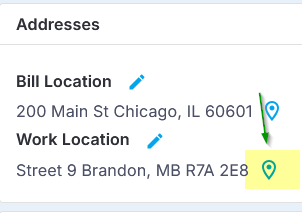
All addresses in Orders, Jobs, and Crew profiles now include a clickable Google Maps link for distance and travel time estimates.
Location Names for Jobs & Orders
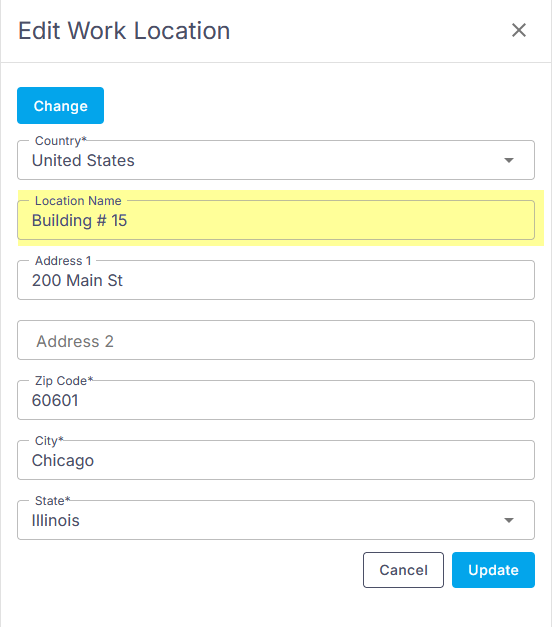
Assign a clear, custom location name at the job or order address level (ideal for unique site/store numbers) to improve mapping accuracy.
[Adding and Using Location Names Guide]
Timesheet Upgrades
Notes Templates
Insert templated notes to timesheets for faster and consistent reporting.Mass Invoice Marking
Mark multiple timesheets as invoices in one action, saving time on batch processing.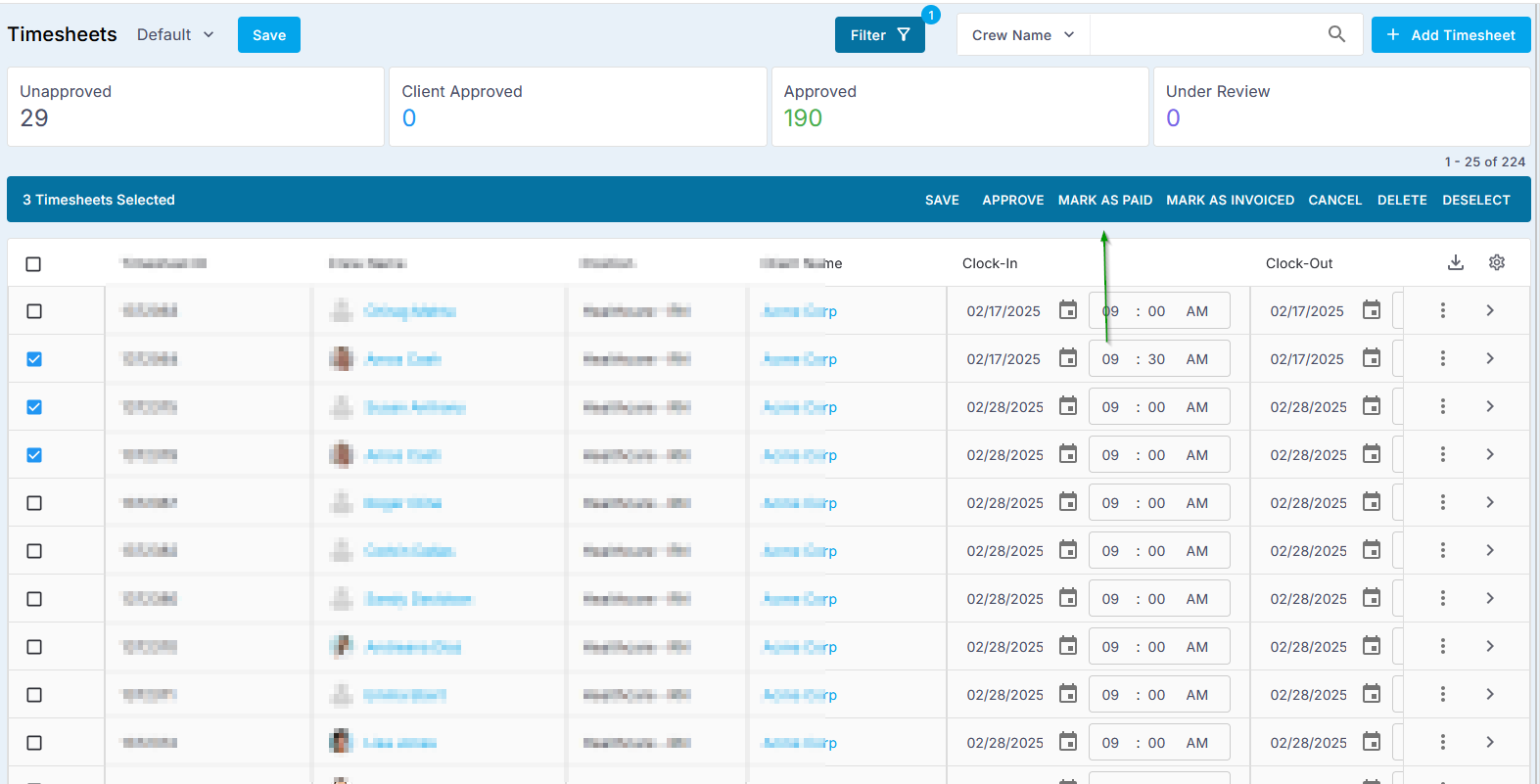
CRM Enhancements
Categorized & Templated Contact Notes
When adding notes to CRM contacts, tag them by category and use templates to standardize follow-ups.
Was this article helpful?
That’s Great!
Thank you for your feedback
Sorry! We couldn't be helpful
Thank you for your feedback
Feedback sent
We appreciate your effort and will try to fix the article