Below is the general guidelines to get the 10DLC Campaign approved with Twilio.
Step 1 : Update Campaign Details
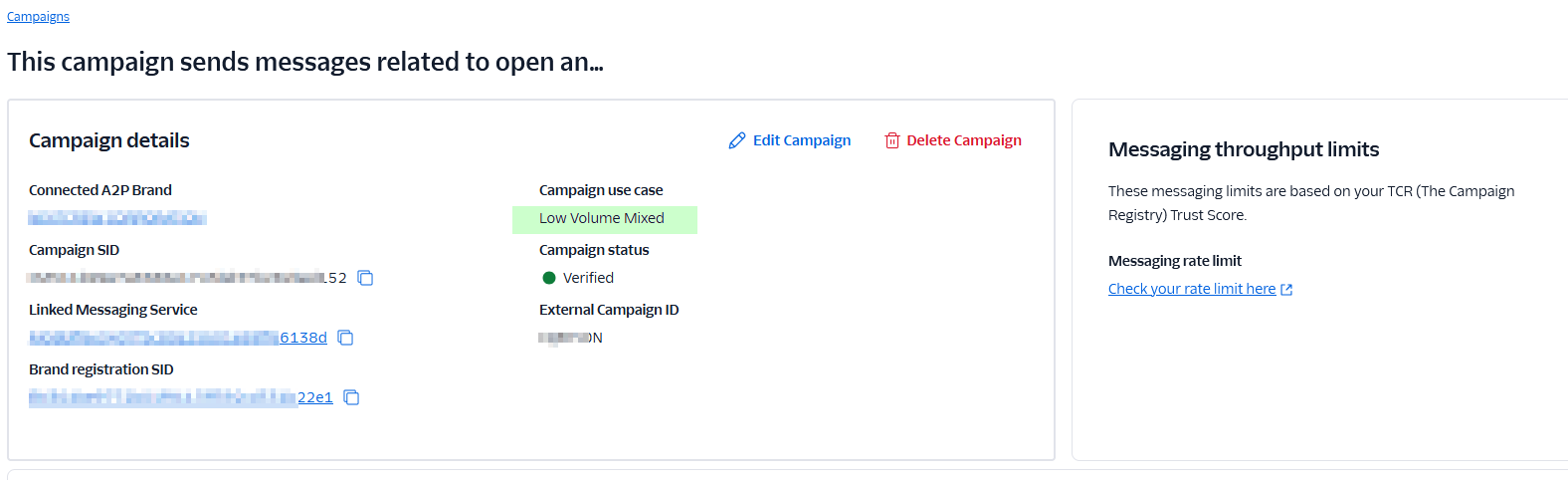
Step 2: Update Campaign Information
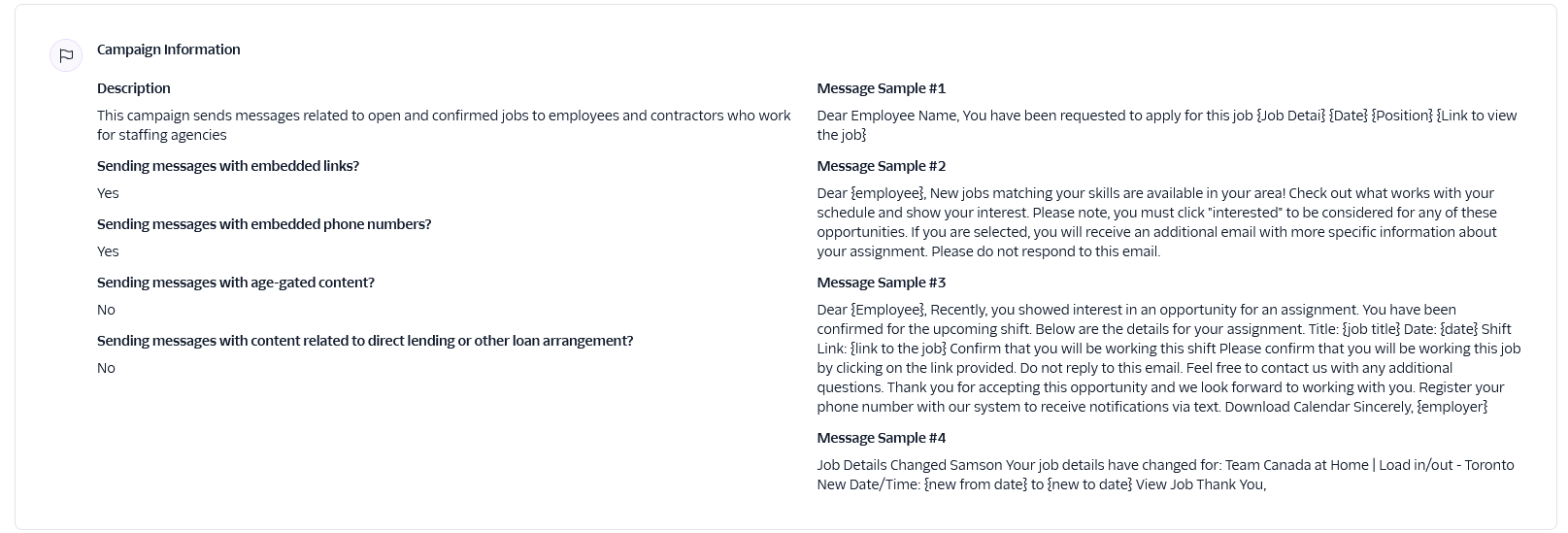
Copy and paste the below information into the message sample
Message Sample #1
Message Sample #2
Message Sample #3
Message Sample #4
Step 3 - Update End User Consent
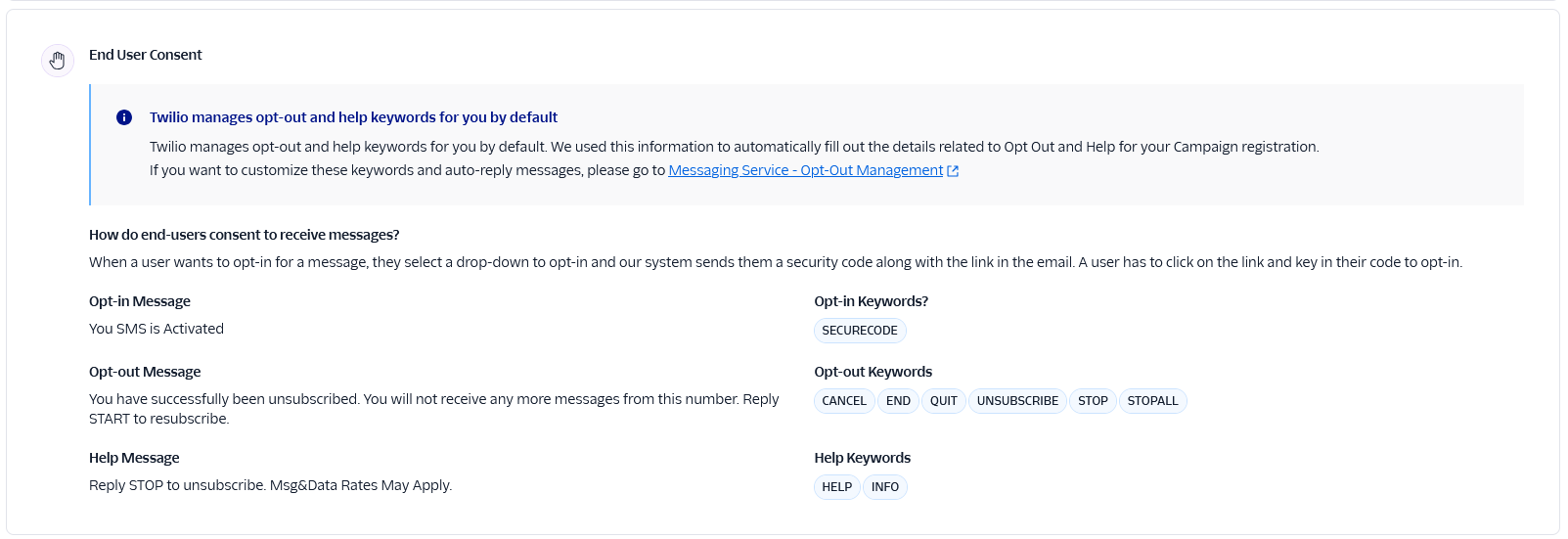
Step 4 : Take a photo of your registration page and show that users have a have to Opt-In - see attached image with highlighted text.
Step 5 : Wait for campaign to get approved. It may take up to 10-14 days.
Note : Please know that the purpose of this guide is to provide general guidance to get the campaign approved, Twilio does change the process time to time and you might have to fine-tine the process based on the current guidelines.

Was this article helpful?
That’s Great!
Thank you for your feedback
Sorry! We couldn't be helpful
Thank you for your feedback
Feedback sent
We appreciate your effort and will try to fix the article