With account switching, you can quickly switch between different accounts without logging out. Keep in mind that you can't switch between accounts unless you have signed in at least one time from each staffing company in the past. For instructions on how to sign in to multiple accounts click here. You will receive push notifications for ALL staffing companies you are signed in with.
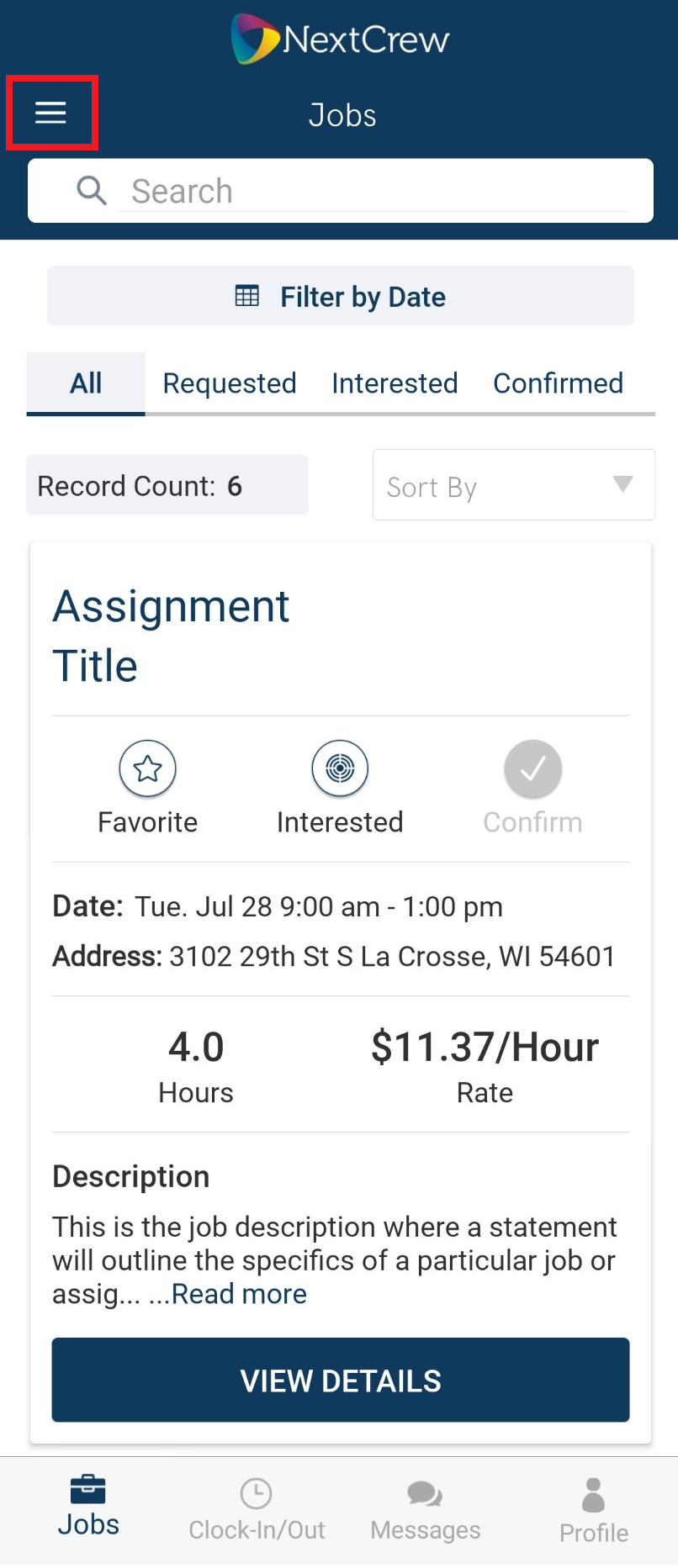
1. Tap on the tribar
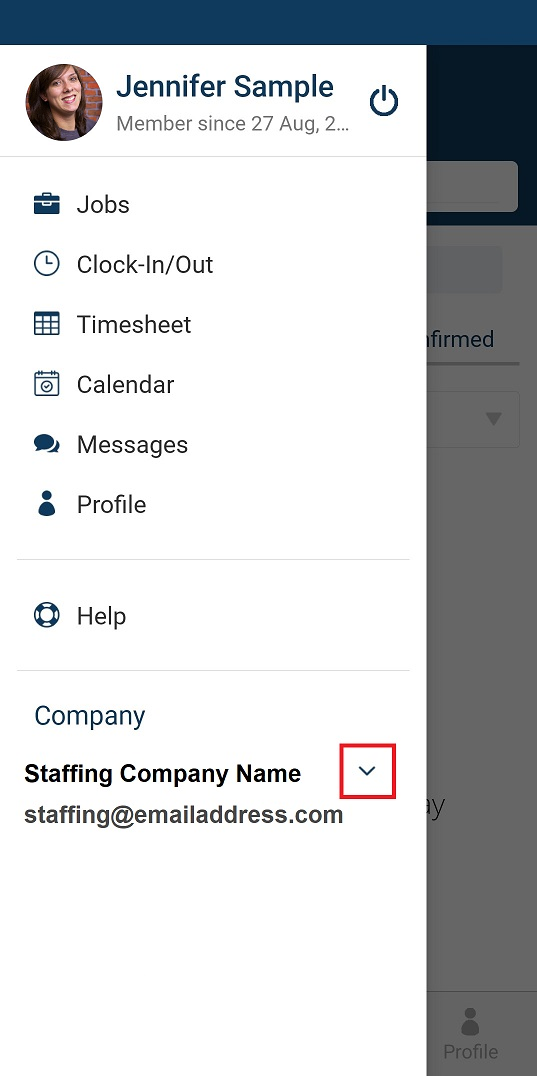
2. Tap on the company expand icon
3. Tap on the account you want to switch to
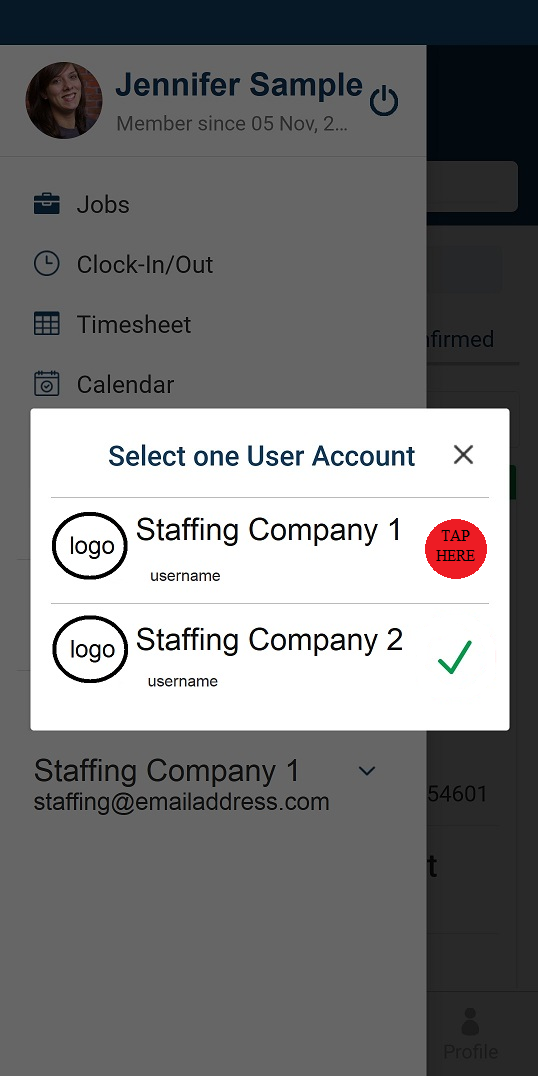
**Please note, the ✔ is the staffing company you are currently signed into. For more information, please click/tap here to see our topic in our FAQ.
Was this article helpful?
That’s Great!
Thank you for your feedback
Sorry! We couldn't be helpful
Thank you for your feedback
Feedback sent
We appreciate your effort and will try to fix the article