There's a newer guide for this. See Cancel a Job, and Why You Sometimes Can't. This page stays here for reference.
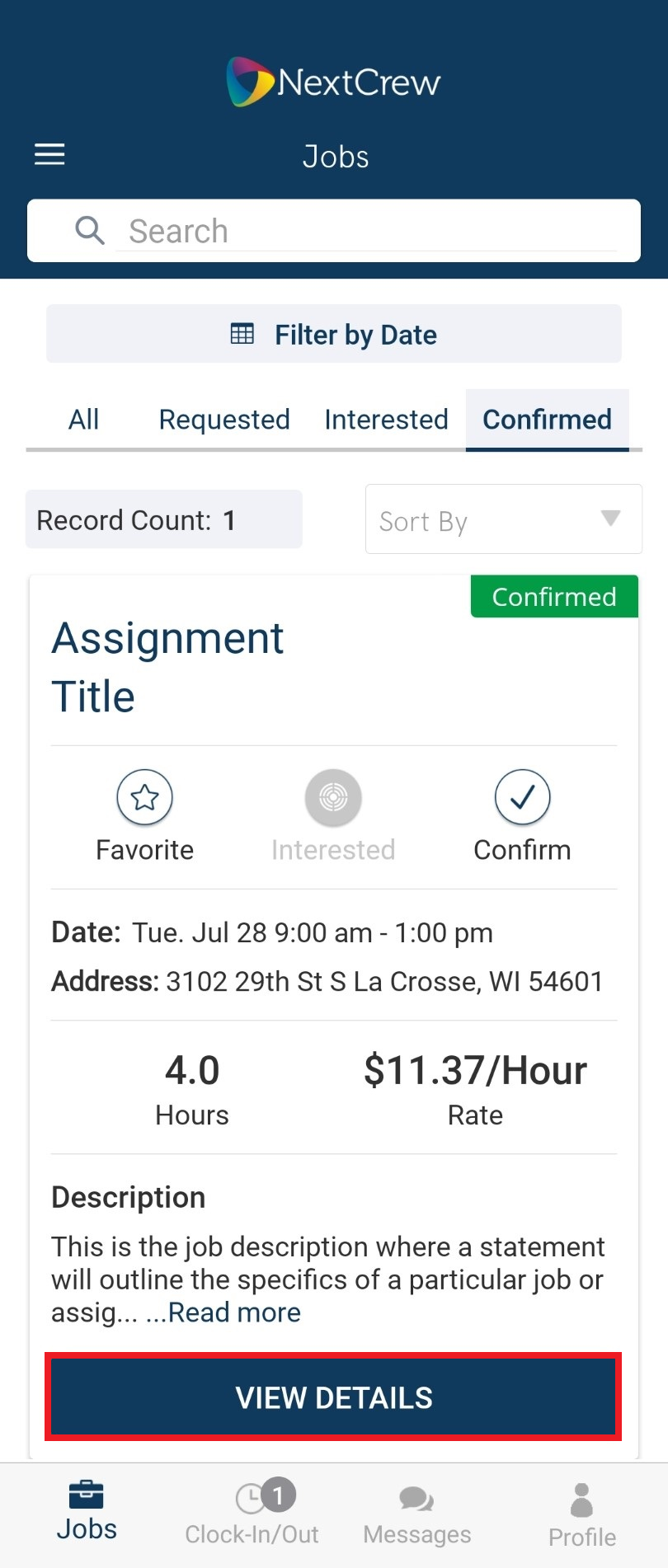
1. Select Job needing to be cancelled
2. Tap VIEW DETAILS
3. Tap DECLINE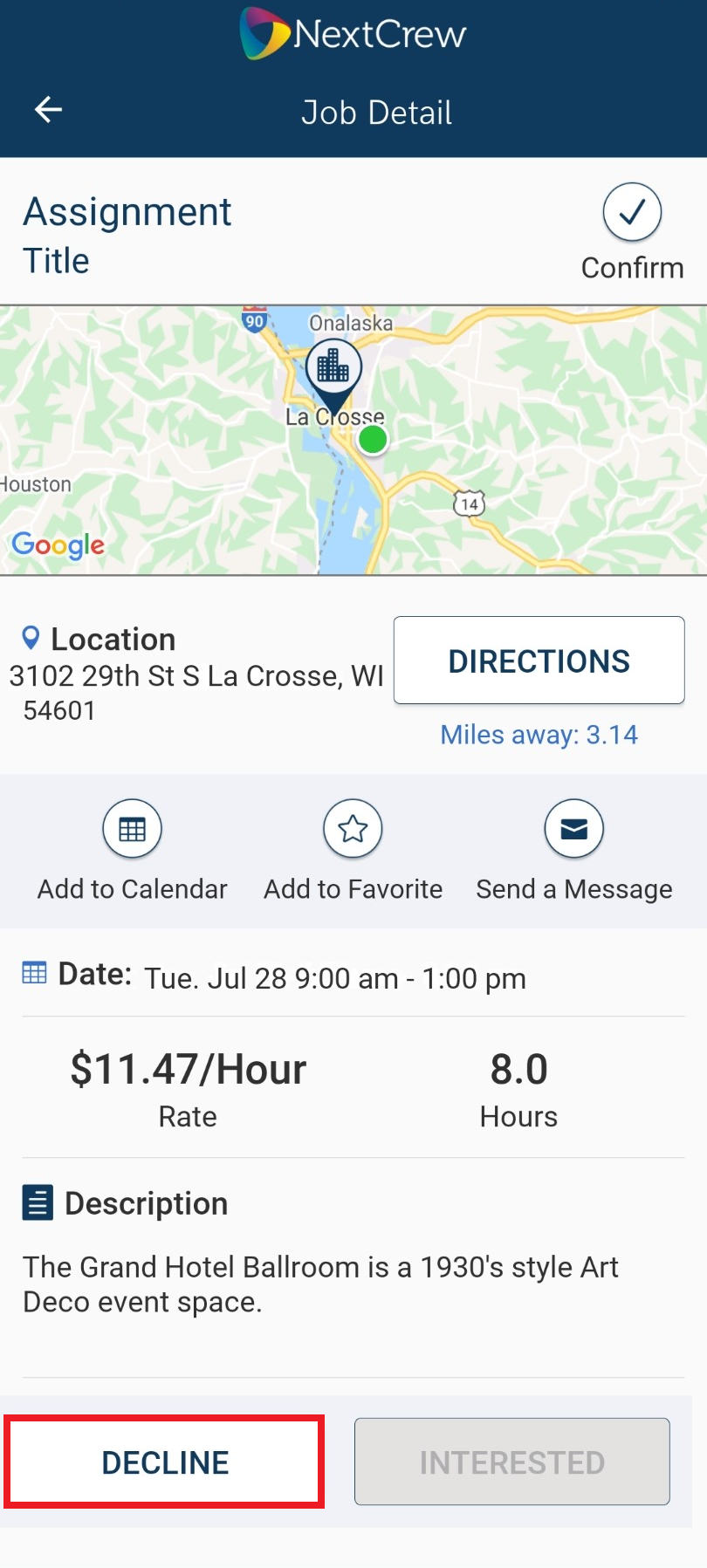
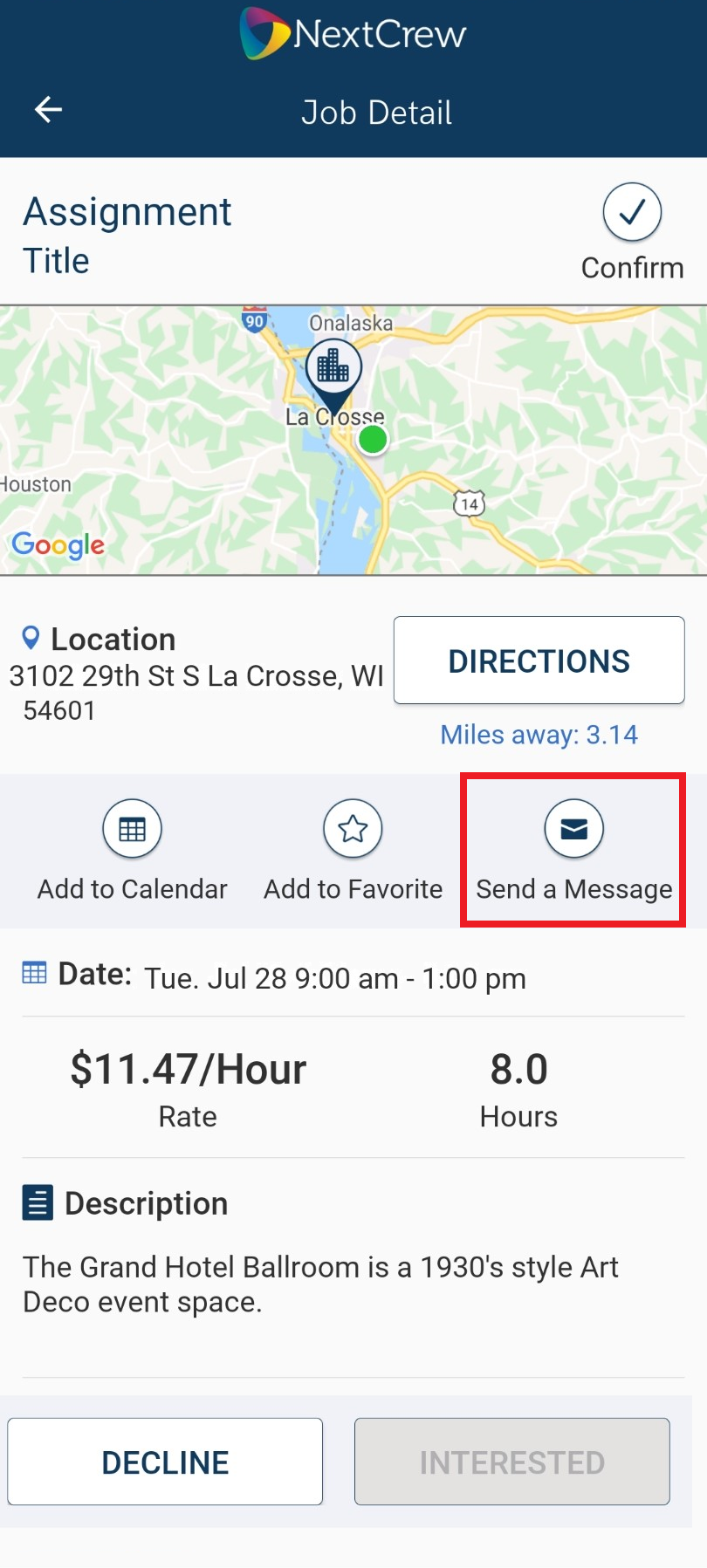
4. It is best practice to message your scheduler
Was this article helpful?
That’s Great!
Thank you for your feedback
Sorry! We couldn't be helpful
Thank you for your feedback
Feedback sent
We appreciate your effort and will try to fix the article