There's a newer guide for this. See Get Ready for Your Next Job. This page stays here for reference.
1. From the home page tap on Confirmed
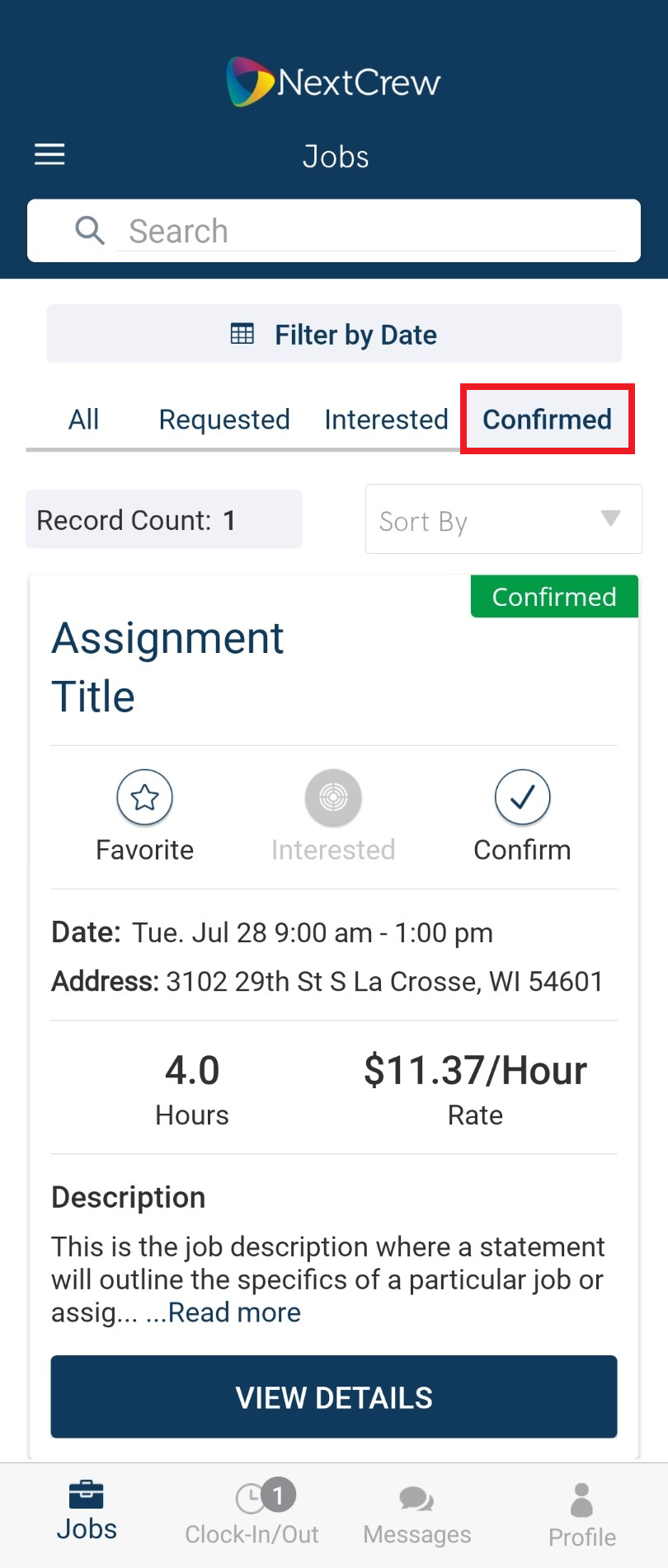 2. Tap VIEW DETAILS
3. Tap Add to Calendar
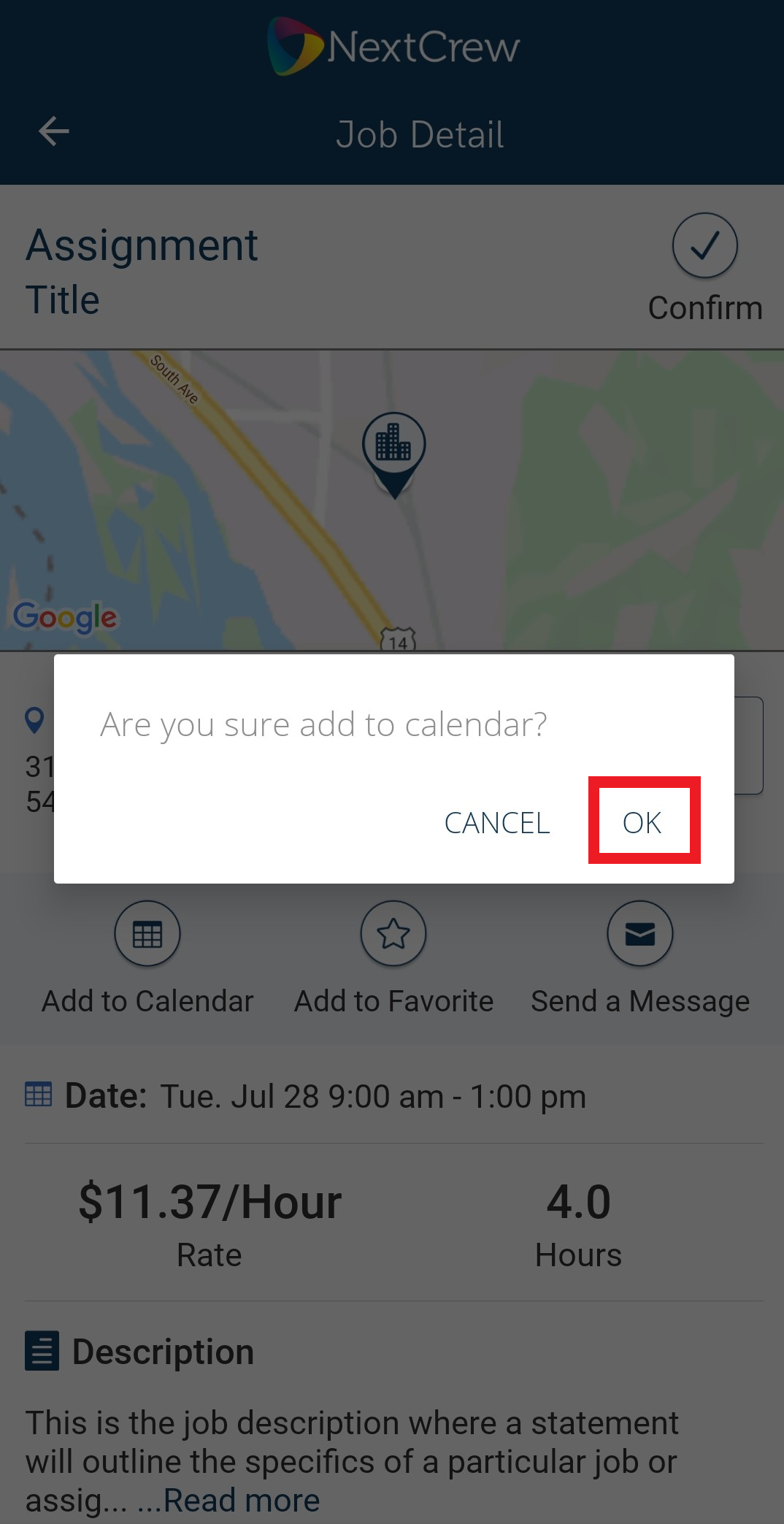
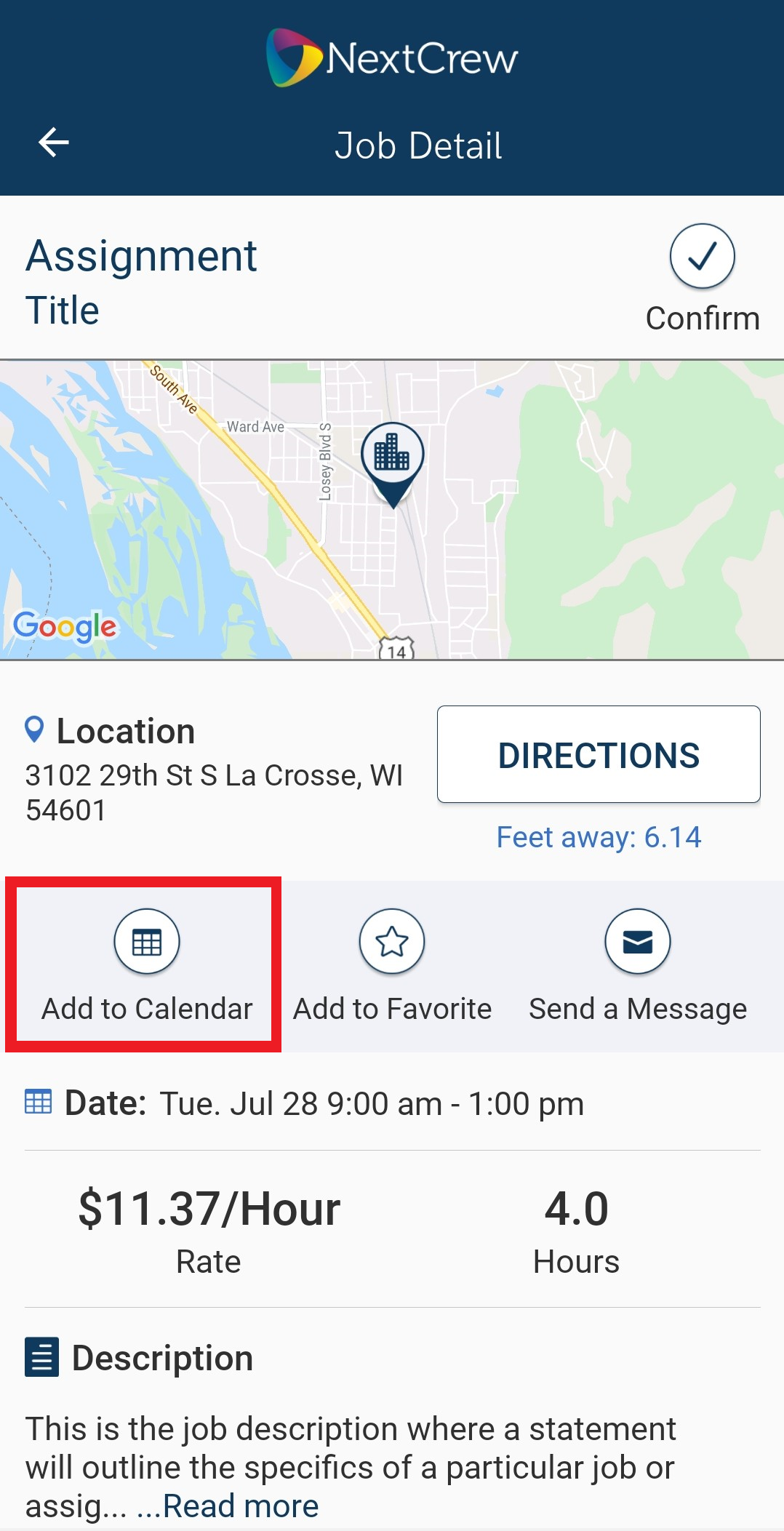 4. Tap OK
 5. Make changes as necessary then tap Save
Title
Color in calendar
Alarm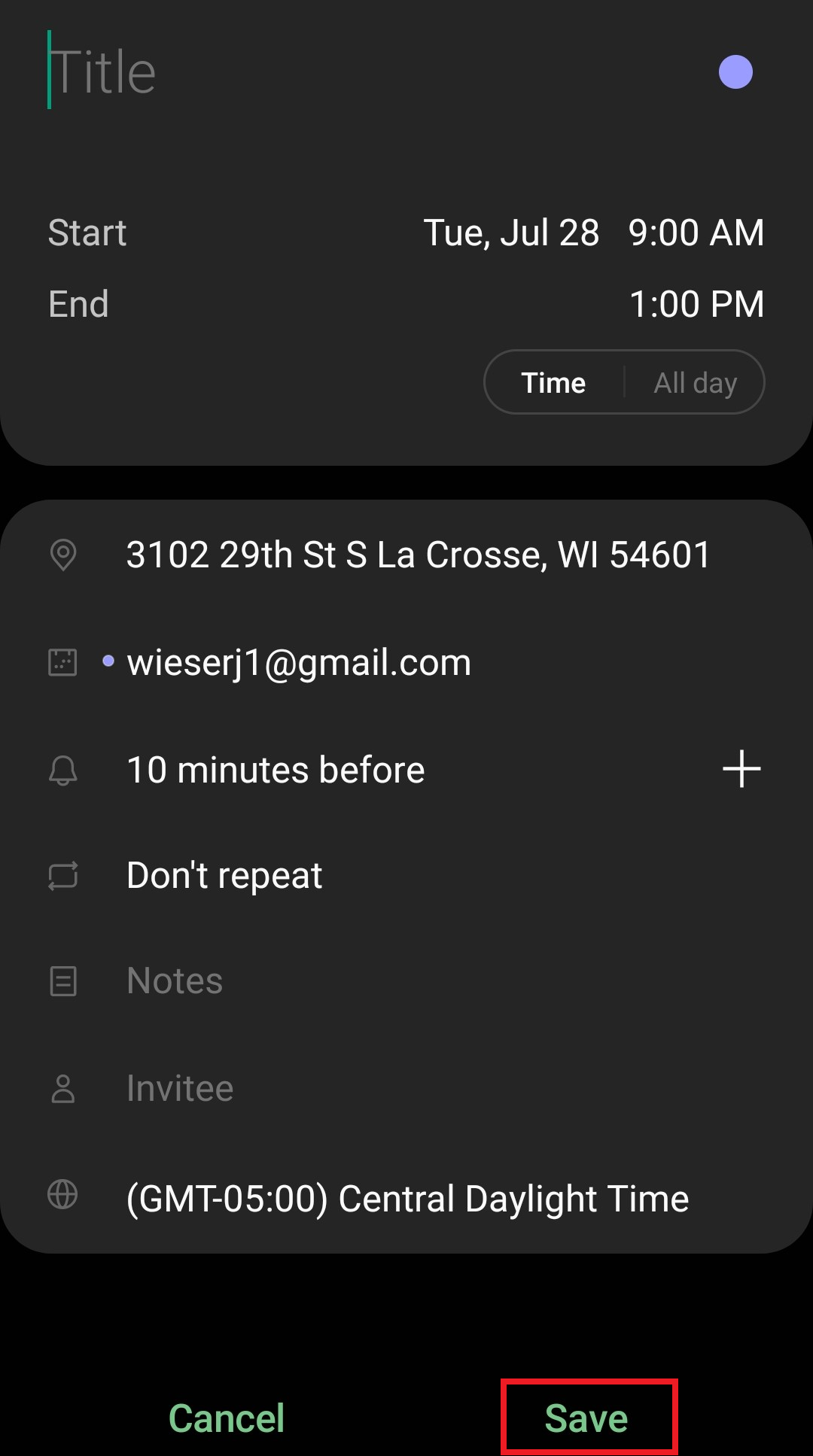 Please note, you are saving assignment in your personal calendar powered by your device images may vary
Was this article helpful?
That’s Great!
Thank you for your feedback
Sorry! We couldn't be helpful
Thank you for your feedback
Feedback sent
We appreciate your effort and will try to fix the article