Crew can close their own account from the app. Here's how you'll find out, and what to check next.
Summary
Yes, Crew can cancel their own account in the NextCrew app, under Profile › Account Information › Cancel Account. They are signed out straight away. When they do, the Crew Member's assigned manager gets a notification, a note is added to their record, and it shows on the CrewPilot AI ticker at the top of the screen. Open their record and click CrewPilot in the quick-access bar to see the history. What goes wrong: missing it, and leaving them booked on jobs that are coming up.
When someone cancels
- Watch for the notification, or the CrewPilot AI ticker at the top of the screen.
- Open the Crew Member's record and read the note.
- Click CrewPilot in the quick-access bar on the right, and check the Timeline tab.
- Check Upcoming Jobs in Crew Stats, and replace them on any job they were booked on.
- Contact them if you want to know why, or if it might have been a mistake.
How you find out, and what to do next
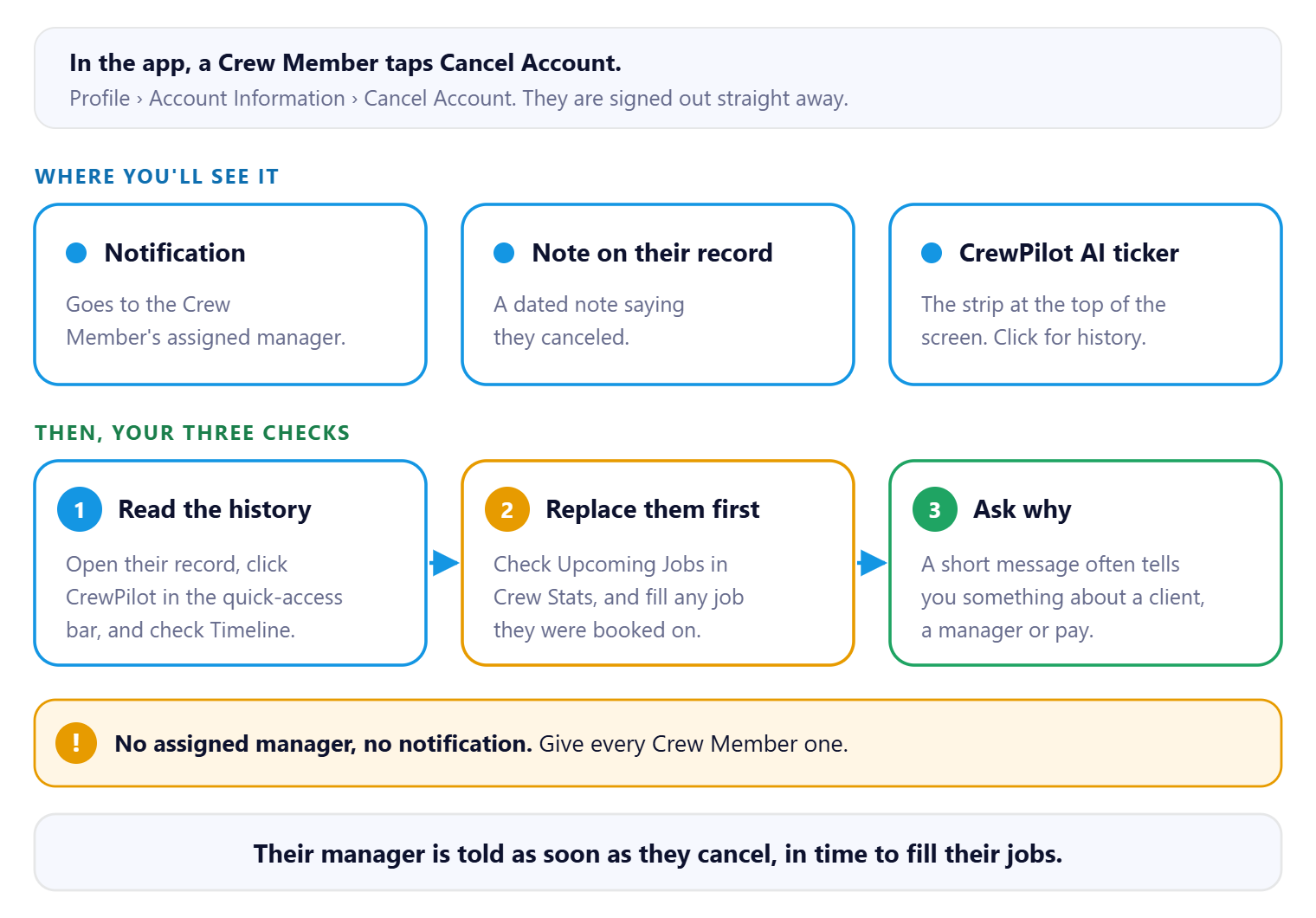
Three places tell you, so it's hard to miss. Replace them on upcoming jobs before you spend time on why they left.
That's the cancellation handled. Read on for where it shows up and what to check.
On this page
Where you'll see it
| Where | What it shows |
|---|---|
| A notification | Goes to the Crew Member's assigned manager. |
| The CrewPilot AI ticker | The activity strip at the top of the screen. Click it to open the event and its history. |
| Notes on their record | A note saying they canceled their account, dated. |
| CrewPilot on their record | Open the record, then CrewPilot in the quick-access bar on the right. The Timeline tab lists what happened to this person, for the date range you pick. |
Make sure every Crew Member has an assigned manager, so the notification reaches a person.
What to check next
| Check | Why |
|---|---|
| Upcoming jobs | They may still be booked. Replace them first, so a client isn't left short. See Handle No-Shows & Backfill. |
| Why they left | A short call or message often tells you something worth knowing, about a client, a manager or pay. |
| Your own process | If your agency terminates people who leave, do that as usual. See Terminate or Rehire a Crew Member. |
Why it's tracked this way
| Without NextCrew | In NextCrew |
|---|---|
| A worker goes quiet, and you find out on the morning of their job. | Their manager is told as soon as they cancel. |
| Nobody remembers when or why someone left. | A dated note and the CrewPilot timeline keep the record. |
Why Crew can cancel on their own
This is an app store rule, not a NextCrew setting. Apple and Google both require any app that lets people create an account to also let them start deleting that account from inside the app. Turning it off for one agency isn't an option. Apps without it can be rejected at review or removed from the store, and every agency's Crew use the same NextCrew app.
Both stores let you keep records you're required to keep, such as timesheets, pay and tax records, as long as people are told. Tell your Crew which records your agency keeps.
Read the rules yourself:
- Offering account deletion in your app (Apple Developer)
- App Store Review Guidelines, section 5.1.1(v) (Apple)
- App account deletion requirements (Google Play Console Help)
If something isn't working
| What you see | Check this first | Who fixes it |
|---|---|---|
| Nobody got a notification | The Crew Member has an assigned manager. | You |
| No CrewPilot in the quick-access bar | CrewPilot is added from App Marketplace. Use the note and the notification in the meantime. See Ask CrewPilot. | Your NextCrew admin |
Questions people ask
Can Crew cancel their own account?
Yes, in the app, under Profile › Account Information › Cancel Account. They are signed out as soon as they do.
Can we turn this off for our agency?
No. Apple and Google require it of every app that lets people create an account. See Why Crew can cancel on their own, above, for the store rules.
Who is told?
The Crew Member's assigned manager gets a notification. It's also added as a note, and shows on the CrewPilot AI ticker.
A Crew Member asked us to delete their data. What do I tell them?
They can cancel their account in the app, which signs them out straight away. Tell them which records your agency keeps, such as timesheets, pay and tax records. If they ask NextCrew support directly, we point them to Cancel Account and to you.
What does the Crew Member see?
See Close Your Account, the Crew guide.
Other ways people ask this
- Can crew delete their own account?
- A worker asked to delete their data.
- How do workers disable their account?
- A worker canceled their account. What now?
- How do I know if a Crew Member closed their account?
- Where do I see account cancellations?
- Can we stop Crew from canceling their account?
Related guides
- Terminate or Rehire a Crew Member — when someone leaves
- Ask CrewPilot: Get Answers About NextCrew and Your Data — the CrewPilot panel
- Close Your Account — what the Crew Member does
Was this article helpful?
That’s Great!
Thank you for your feedback
Sorry! We couldn't be helpful
Thank you for your feedback
Feedback sent
We appreciate your effort and will try to fix the article