There's a newer guide for this. See See Who Is Coming and Who Is On Site. This page stays here for reference.
1. Click on Workspace, then select Calendar
2. Choose a job that is either Partially Filled or Fully Filled
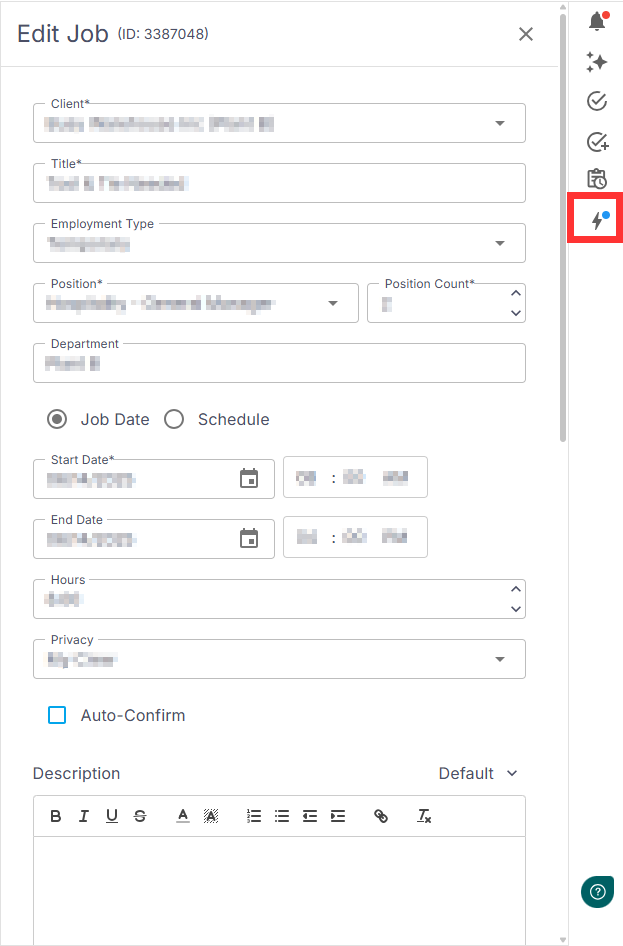
3. In the Quick Access menu, click the Lightning Bolt icon
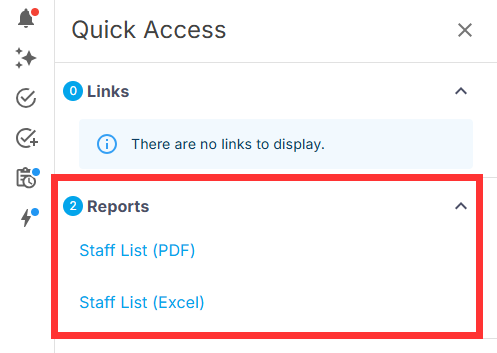
4. You’ll be redirected to the Reports page - Select your preferred report format:
- Staff List (PDF)
- Staff List (Excel)
5. Your File Explorer will open - Enter a file name and click Save
Was this article helpful?
That’s Great!
Thank you for your feedback
Sorry! We couldn't be helpful
Thank you for your feedback
Feedback sent
We appreciate your effort and will try to fix the article