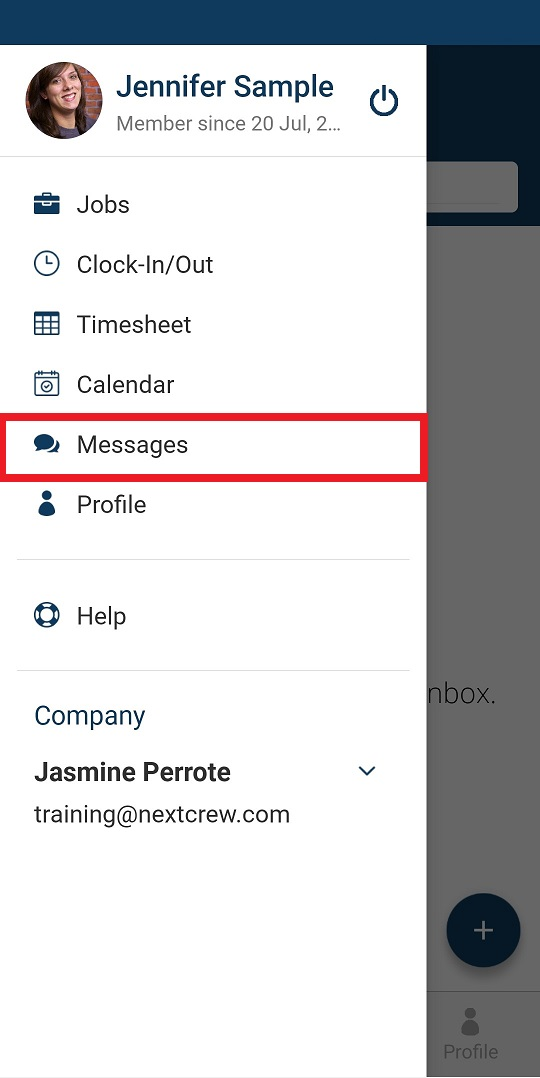
1. Tap on the the tribar then tap Messages
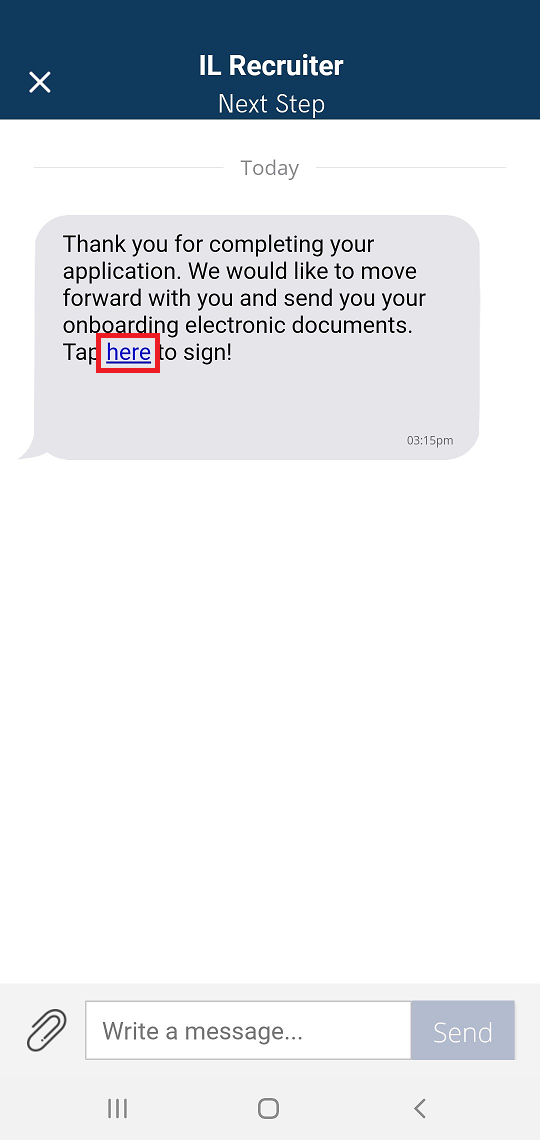
2. Open the message then tap on the blue hyperlink
3. Complete the electronic document(s) by reading then filling out then signing
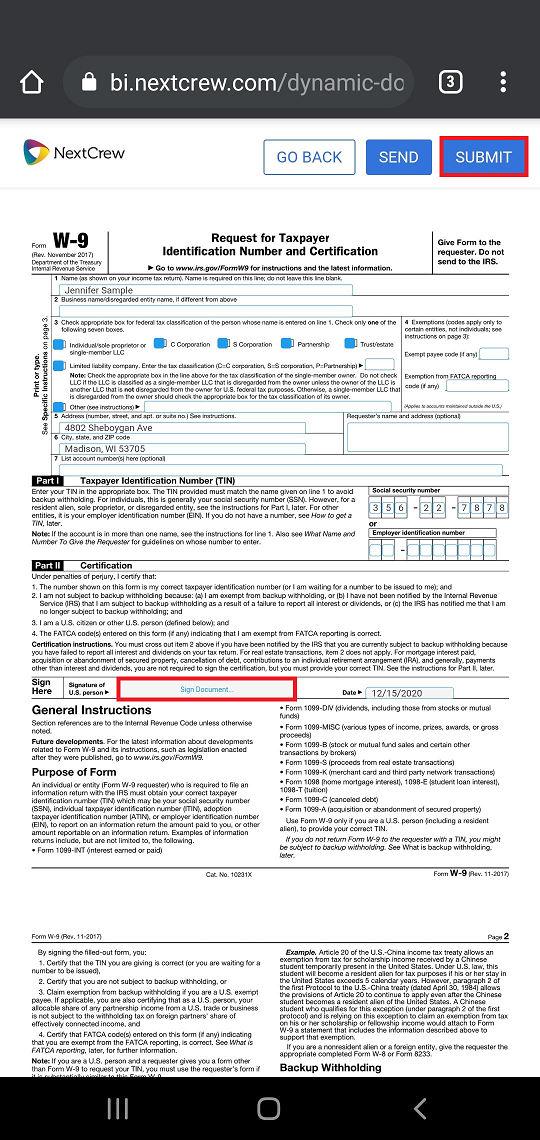
4. Tap SUBMIT
Was this article helpful?
That’s Great!
Thank you for your feedback
Sorry! We couldn't be helpful
Thank you for your feedback
Feedback sent
We appreciate your effort and will try to fix the article