There's a newer guide for this. See Find and Confirm Your Jobs. This page stays here for reference.
1. Find desired job then tap on Interested
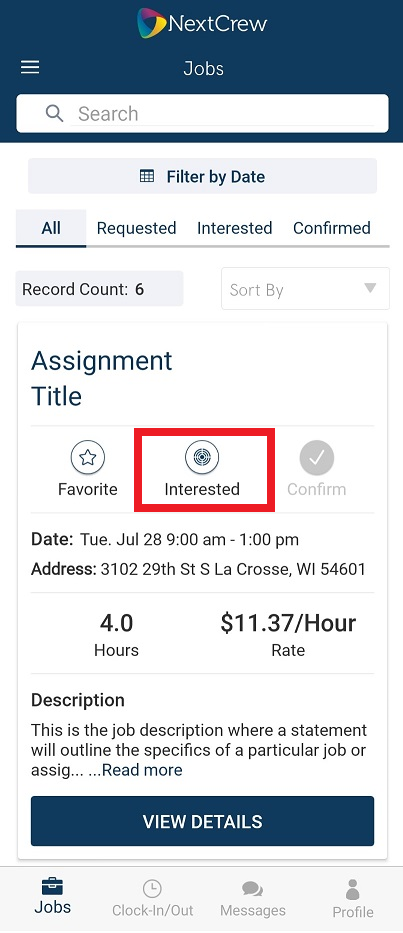
2. Interested icon will turn green

3. All jobs you have shown interest in will be moved to the Interested tab
**Please note, showing interest in a job does not guarantee you will be confirmed.
Was this article helpful?
That’s Great!
Thank you for your feedback
Sorry! We couldn't be helpful
Thank you for your feedback
Feedback sent
We appreciate your effort and will try to fix the article