1. Go to NextCrew for Managers App
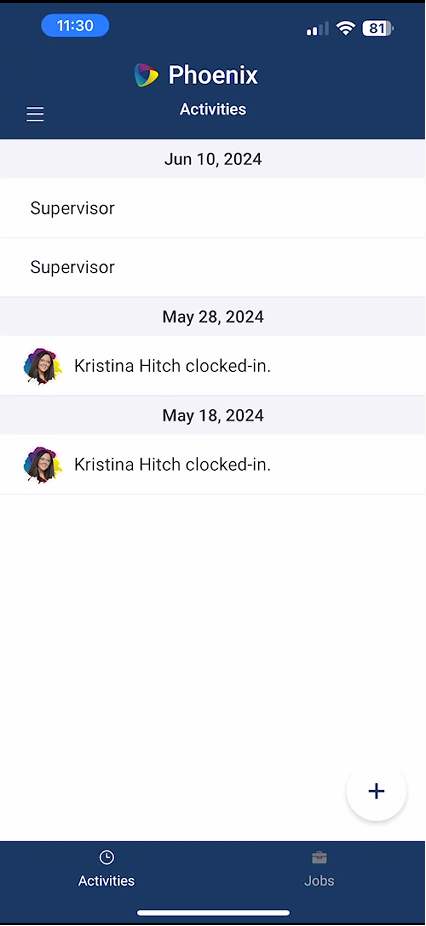
2. Tap on the plus symbol at the lower left hand side of the screen
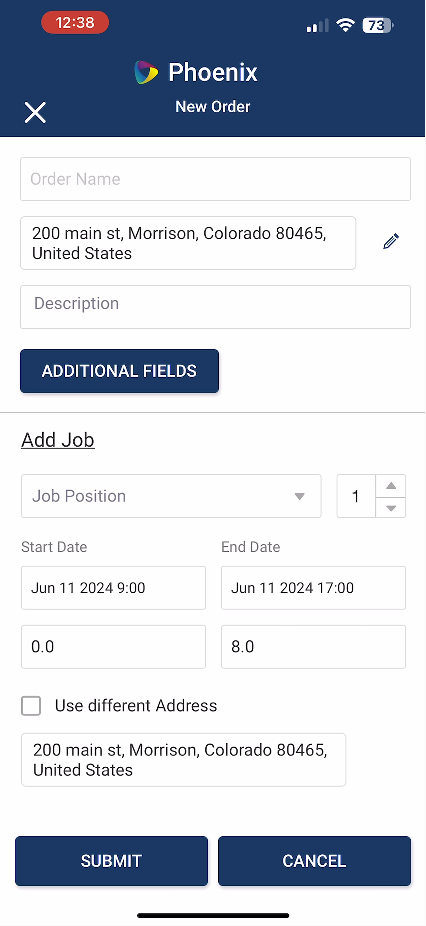
3. Here you can add all the Job Details
Including: Order Name, Location, Dates and Times, and Position
Once all information is added tap Submit
Was this article helpful?
That’s Great!
Thank you for your feedback
Sorry! We couldn't be helpful
Thank you for your feedback
Feedback sent
We appreciate your effort and will try to fix the article