There's a newer guide for this. See Find and Download Your Timesheets. This page stays here for reference.
Exporting timesheets is important because it allows you to easily save and share timesheet data for further analysis, record-keeping, or reporting. This functionality is essential for payroll processing, auditing, and ensuring that timesheet information is readily available for management and compliance purposes. It also helps streamline workflows by enabling quick data transfer into other systems or formats, improving efficiency and reducing the risk of errors.
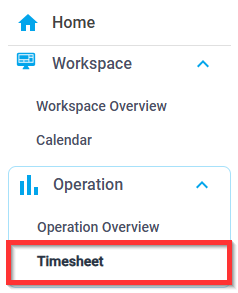
1. From the navigation pane, select Operation > Timesheet
 2. Filter the desired timesheets

- Date Range
- Crew Name
- Position
3. Select Export
Was this article helpful?
That’s Great!
Thank you for your feedback
Sorry! We couldn't be helpful
Thank you for your feedback
Feedback sent
We appreciate your effort and will try to fix the article