There's a newer guide for this. See Check Whether Your Jobs Are Filled. This page stays here for reference.
Selecting the appropriate calendar view is important because it allows you to visualize your schedule in a way that best suits your needs. Whether you're planning by the day, week, or month, adjusting the view helps you stay organized, prioritize tasks, and manage your time more effectively. This flexibility ensures that you can easily track jobs.
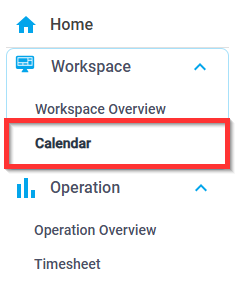
1. From the navigation pane, select Calendar
 2. In the upper right-hand corner, select the desired calendar view:

- Day
- Week
- Month
Was this article helpful?
That’s Great!
Thank you for your feedback
Sorry! We couldn't be helpful
Thank you for your feedback
Feedback sent
We appreciate your effort and will try to fix the article