There's a newer guide for this. See Approve or Decline Timesheets. This page stays here for reference.
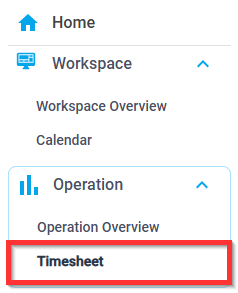
1. Click on Operation > Timesheet
2. Scroll to the right to view start and end times vs. actual times and status
Note: You can update/edit the clock-in/out times by clicking on the start or end time.
3. To approve a timesheet, click the Green Checkmark  4. To decline a timesheet, click the Red X
5. Select the Note Category and, in the Note field, type the reason, then click Add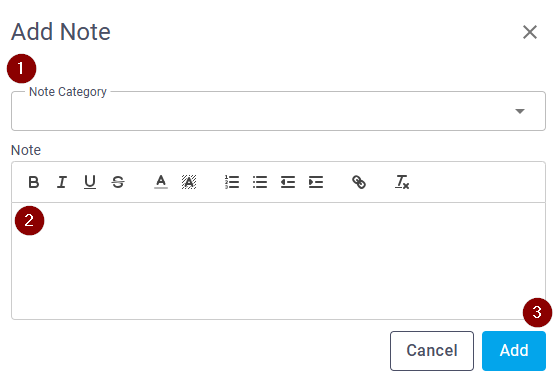
Was this article helpful?
That’s Great!
Thank you for your feedback
Sorry! We couldn't be helpful
Thank you for your feedback
Feedback sent
We appreciate your effort and will try to fix the article